
ICSx⁵ – Subscribe to calendars
bitfire web engineeringProductivity
4.423.00 Reviews
- Version
- Varies With Device
- Installs
- 10.00K
- Age Rating
- Everyone
Screenshots
Our Review of ICSx⁵ – Subscribe to calendars
 Analysis by Appyee
Have you ever felt overwhelmed trying to keep track of all your events, meetings, and reminders? Well, let me introduce you to ICSx⁵—a nifty app designed to help you subscribe to calendars with ease. I’ve spent some quality time with this app, and let me tell you, it’s got some pretty cool features that make managing your schedule a breeze.
Getting Started with ICSx⁵
First things first, downloading and setting up ICSx⁵ is as straightforward as it gets. Just pop over to your app store, search for ICSx⁵, and hit download. Once installed, the app greets you with a clean and intuitive interface that doesn’t bombard you with unnecessary clutter. It’s like a breath of fresh air in the chaotic world of scheduling apps.
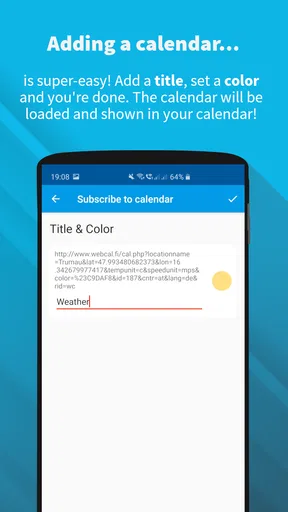
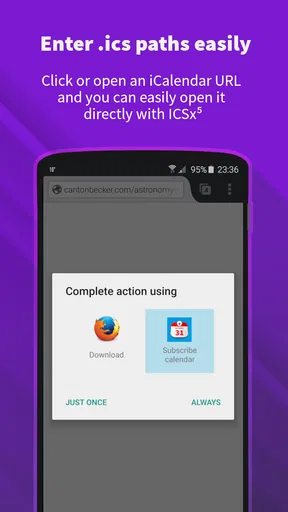
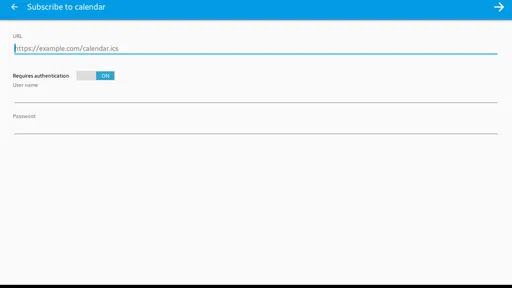
To get started, all you need to do is tap on the ‘Add Calendar’ button, and you’re on your way. The app supports both webcal and .ics files, which means you can subscribe to pretty much any public calendar out there. Whether it's sports schedules, public holidays, or even your favorite TV show timings, ICSx⁵ has got you covered.
A focused tool, not another calendar account
The distinction I find useful is that this is a productivity app for bringing subscribed calendars into a schedule you already use, rather than a replacement for every part of your calendar routine. That makes it a sensible fit if an organization, club, school, or event publisher gives you a calendar feed and you want its entries alongside your own appointments. If you mainly need to create events, invite people, and coordinate meetings, your usual calendar app is likely the better place to start.
That difference also shapes how I would choose between ICSx⁵ and the familiar alternatives. A calendar app may offer its own account-based sharing and editing tools, while a subscription-focused tool is valuable when the source calendar is maintained elsewhere. You can keep the publisher as the place where changes originate, then view those entries through your regular calendar workflow. The trade-off is that a feed is not the same as a shared planning space: subscribing does not make you an editor of someone else’s schedule.
Simplifying Calendar Management
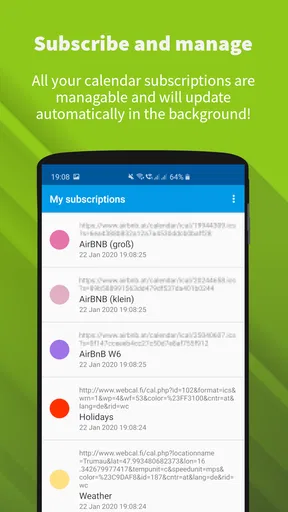
One of the standout features of ICSx⁵ is its simplicity. You don’t need to be a tech wiz to get the hang of it. The app lets you manage multiple calendar subscriptions effortlessly. Need to keep your work, personal, and hobby calendars separate but easily accessible? No problem. ICSx⁵ allows you to do just that, and switching between them is as smooth as butter.
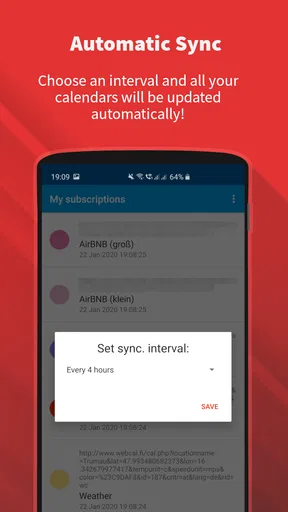
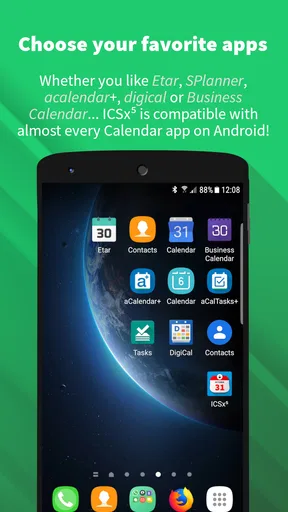
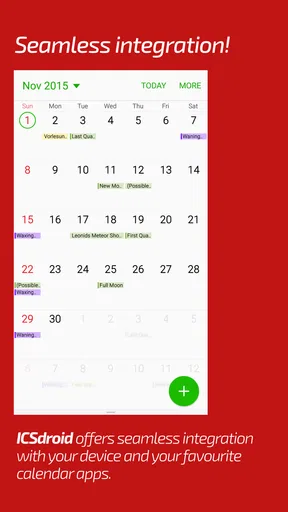
What’s more, the app syncs seamlessly with your device’s calendar. This means once you subscribe to a calendar, all the events automatically reflect in your default calendar app, keeping everything centralized and easy to manage. It’s like having a personal assistant that never misses a beat.
Putting a feed to work without losing track of its source
A practical workflow is to subscribe to a changing schedule rather than copying every entry by hand. Think of a community group that publishes meeting dates, or a school that revises its term calendar: when the organizer updates the feed, the point of subscribing is to see those changes flow into your calendar setup. I would keep a note of which entries come from a subscription, especially if I also add personal appointments around them. That small habit helps avoid treating a published event as something I can edit or control.
Before adding a feed, I would check that it comes from the organization that actually maintains the schedule. Calendar feeds can be convenient, but a wrong or outdated source can make a calendar look unreliable even when the app is doing its job. For a public event list, confirm the publisher’s current feed address; for a private work or family calendar, follow the instructions from the person responsible for it. This is a useful trust check without assuming that every feed is equally dependable.
Customization and Notifications
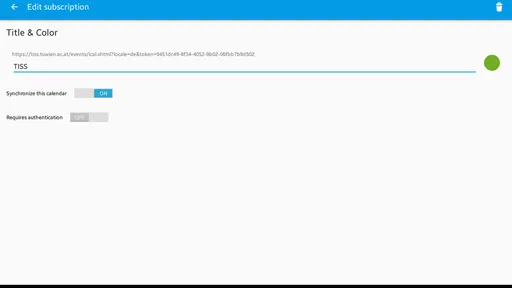
Another area where ICSx⁵ shines is customization. You can tweak the settings to your liking, such as setting default colors for different calendars, which is a lifesaver if you’re a visual person like me. It helps to have a quick color-coded snapshot of what’s on your agenda for the day.
Notifications are another strong suit of ICSx⁵. You can set reminders for specific events so you never miss an important meeting or family gathering. I find this feature particularly useful, especially when juggling multiple tasks. The notifications are timely and non-intrusive, just the way I like them.
Small choices that make a crowded week easier
My most useful color tip is to assign meaning consistently instead of picking colors only because they look nice. For instance, I might reserve one shade for work-related subscriptions and another for community or family schedules, so a quick glance communicates the kind of commitment as well as the time. If several feeds all represent similar obligations, matching their colors can make the week easier to scan; if they compete for attention, distinct colors are clearer.
I would also be selective with reminders. A public calendar may contain many entries that are helpful to see but do not need an alert. Reminders make more sense for the few events where I must act or leave on time; letting every item interrupt the day can turn a useful schedule into background noise. Before relying on an alert for something consequential, check how that event is represented in your device calendar and make sure the reminder is set where you expect it.
Performance and Reliability
Now, let’s talk about performance. ICSx⁵ is lightweight and doesn’t hog your phone’s resources. Even with multiple calendars subscribed, the app runs smoothly without any noticeable lag. I’ve used it on both Android and iOS, and the experience has been consistently good on both platforms.
Reliability is key when it comes to calendar apps, and ICSx⁵ delivers. The sync feature works flawlessly, and I haven’t encountered any issues with events not showing up or disappearing, which is a relief. It really gives you peace of mind knowing your schedule is always up to date.
When a calendar looks wrong
If a subscribed event is missing or appears out of date, I would first check the source feed and the device calendar before deleting and adding everything again. Is the schedule still published at the address you subscribed to? Is the calendar visible in the calendar app you normally use? Separating those checks can help identify whether the issue is with the publisher’s feed, the device’s calendar display, or the subscription setup, instead of making a rushed change that removes a working calendar.
There is a practical limit to any feed-based setup: the organizer controls what the feed contains and when it changes. If a venue changes a meeting at the last minute, a subscription is only useful once that update is published and reaches your calendar. For travel, appointments, or deadlines where I need direct confirmation, I would still check the original message or organizer rather than treating a calendar entry as the sole authority.
Trust, control, and the right fit
ICSx⁵ is made by bitfire web engineering and has an average rating of 4.4 from 323 ratings, with 23 written reviews and over 10K installs. It costs $1.99, is rated for Everyone, and was released on August 24, 2015. Those details give a useful snapshot of the app’s place in the productivity space, but they do not replace the everyday question I would ask before subscribing: do I recognize and trust the calendar publisher?
That question matters because calendar entries can expose parts of your routine on a shared screen or in notifications. I would be thoughtful about adding a feed tied to work, health, travel, or family matters, especially on a device other people can access. The key user choice is whether a particular schedule belongs in the calendar environment you already rely on. A subscription can reduce manual copying, but it also brings the feed’s entries into that routine, so I would add only calendars I genuinely need.
For someone deciding whether the $1.99 purchase makes sense, the value is clearest when subscriptions are a recurring need, not a one-off experiment. If you regularly follow changing event feeds and prefer seeing them in your regular calendar, a dedicated tool can spare you the tedious cycle of checking a website and re-entering dates. If you only need a single static list, or your calendar app already handles the subscriptions you use comfortably, paying for a separate utility may not improve your day.
Final Thoughts
All in all, ICSx⁵ is a fantastic tool for anyone looking to streamline their calendar management. It’s user-friendly, efficient, and packed with enough features to satisfy even the busiest of us. Whether you’re a student, a professional, or just someone who likes staying organized, this app is definitely worth checking out.
So, if you’re tired of juggling multiple calendar apps or constantly missing events, give ICSx⁵ a try. It might just become your new favorite scheduling sidekick. Trust me, once you start using it, you’ll wonder how you ever managed without it.
Who I would recommend it to
I would recommend it most to people who repeatedly receive calendar feeds from different parts of life: a student following course dates, a volunteer tracking a rotating event schedule, or a worker who wants a published team calendar visible beside personal plans. A realistic weekday example is checking the week over breakfast, spotting a revised community meeting alongside a work appointment, and deciding whether there is time to travel between them. The benefit is less about adding another place to manage events and more about having separate sources visible in one familiar calendar view.
I would skip it if my main goal were collaborative scheduling, detailed task management, or building a calendar from scratch. Those jobs call for tools designed around event creation and coordination. I would also avoid relying on any subscribed feed as a guaranteed last-minute alert channel: the app can organize what the publisher makes available, but the publisher remains responsible for the schedule itself.
What to check before relying on a subscription
People often wonder whether subscribing means they can change the original event. I would treat a feed as a way to receive schedule information, not as permission to edit the source. If I need a change, I would contact the organizer or make a separate personal entry rather than assuming an edit will travel back upstream. That distinction prevents confusion when a personal calendar and a published timetable overlap.
Another sensible question is whether the entries will appear in the calendar app already on the phone. The intended workflow is integration with the device calendar, so I would check that the subscribed calendar is enabled and visible there after setup. If it does not appear as expected, I would inspect the calendar app’s display settings before creating a duplicate subscription; duplicates can make a busy week harder to read and may lead to double reminders.
Trust is also a matter of choosing the feed deliberately. Before subscribing, I would verify the source through the publisher’s own site or instructions and consider whether the schedule contains details I want displayed on my device. That is a practical precaution, not a reason to avoid subscriptions altogether. Keeping only useful feeds, giving them clear names or colors, and reviewing them when a season or project ends helps preserve control over a calendar that can otherwise accumulate stale entries.
A measured recommendation
The strongest case for this app is narrow and clear: it makes externally maintained calendar subscriptions more manageable within an existing routine. Its value depends on whether those feeds are part of your life and whether the device-calendar workflow suits you. I like that focused role, but I would not mistake it for a complete scheduling platform or assume that every publisher maintains a perfectly current feed.
With a 4.4 average and more than 10K installs, it has found an audience, while the modest one-time price asks you to decide whether the convenience will be used often enough. I would try it when recurring web calendars are a real annoyance, keep an eye on which sources I trust, and retain a direct confirmation for important changes. If your needs are mostly ordinary appointments and shared planning, your existing calendar may already be the simpler answer.
Verdict
Strengths of ICSx⁵ – Subscribe to calendars
- Intuitive interface for easy navigation.
- Supports multiple calendar formats.
- Customizable notification settings.
- Offline access to subscribed calendars.
- Regular updates and bug fixes.
Limitations of ICSx⁵ – Subscribe to calendars
- Limited integration with third-party apps.
- No built-in calendar editing feature.
- Initial setup can be confusing for some.
- Lacks advanced calendar management tools.
- Some users report occasional sync issues.
Other Releases by bitfire web engineering
View All
DAVx⁵ – CalDAV CardDAV WebDAV
Productivity4.3
Similar Picks in This Category
View All
Google Calendar
Google LLC4.6

Google Drive
Google LLC4.3

Google Assistant
Google LLC3.9

Microsoft OneDrive
Microsoft Corporation4.6

Samsung Calendar
Samsung Electronics Co., Ltd.4.1

Microsoft OneNote: Save Notes
Microsoft Corporation4.6
Frequently Asked Questions
What is ICSx⁵ and how does it work?
ICSx⁵ is a powerful app designed to help users subscribe to online calendars (like iCalendar/ICS feeds) on their Android devices. It seamlessly integrates with your existing calendar app, allowing you to stay updated with events from various sources. Simply add the calendar URL, and ICSx⁵ will automatically sync the events to your preferred calendar app.
Is ICSx⁵ compatible with all Android devices?
ICSx⁵ is compatible with most Android devices running Android 4.1 (Jelly Bean) or higher. It is designed to work smoothly across different devices, ensuring a user-friendly experience. However, it is always recommended to check the app's compatibility with your specific device model before downloading.
Does ICSx⁵ require an internet connection to function?
Yes, ICSx⁵ requires an internet connection to subscribe to and update calendars. The app fetches calendar events from online sources, so a stable internet connection ensures that your calendar data is always up-to-date. However, once the events are downloaded, you can view them offline.
Are there any privacy concerns when using ICSx⁵?
ICSx⁵ is designed with user privacy in mind. The app only accesses the calendar URLs you subscribe to and does not store any personal data or share information with third parties. It operates locally on your device, ensuring that your calendar data remains private and secure.
Can I use ICSx⁵ to manage multiple calendar subscriptions?
Yes, ICSx⁵ allows you to manage multiple calendar subscriptions with ease. You can add, update, or remove various calendar feeds as needed. The app provides a straightforward interface to handle multiple subscriptions, making it an excellent tool for organizing events from different sources efficiently.
